-
-
-
Abu Dhabi | Dubai | Musaffah
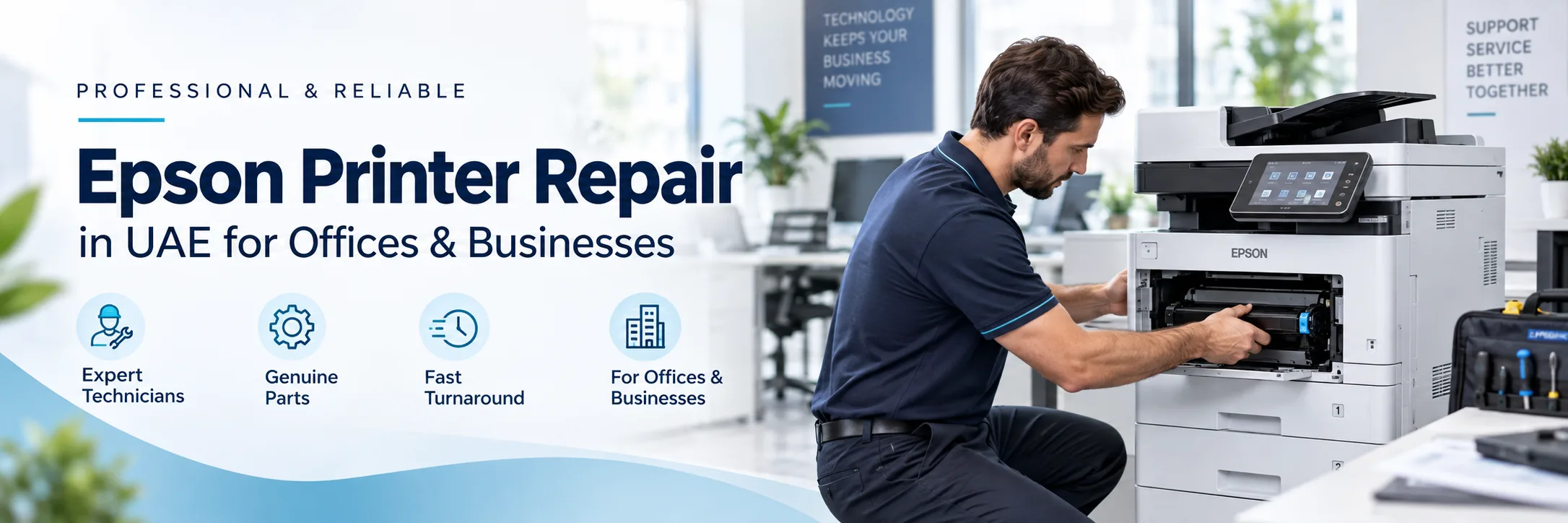
Does your Epson printer develop spots that seem to contain an odd error or you're having difficulty getting your printer to print? The first step in solving the problem is determining exactly what the issue is. A problem with feeding paper, a print quality issue, a scanner problem or a network error might need a kind of check.
If you are looking for Epson printer repair in UAE, Superior Office Services LLC (SOS) offers fault diagnosis, repair and maintenance help for supported Epson printers and multifunction devices. This includes Epson EcoTank, Workforce and some older Epson office models.
Before asking for help make sure you have the Epson model number and a clear explanation of the problem. If the printer shows an error message or produces a print that's not correct a picture of the error message or a sample of the print can help explain the issue better.
Request Epson Printer Service | Contact SOS
Instead of trying to figure out which part needs to be changed begin by watching what the printer is actually doing. The problem can give clues about what needs to be checked.
Taking the jammed sheet out might clear up the initial issue of the paper being stuck, but it doesn't really address the root cause of why the jam occurred. Paper may be stuck around the Tray, Rear Feed, Duplex Path, Output area or Document Feeder.
When contacting SOS mention where the jam occurs and whether it happens with one paper source or several.
A print sample can reveal useful information when the output does not look normal.
Faded pages, banding, lines, missing colours and uneven printing can have different causes. The printer condition, ink or consumables, maintenance condition and settings may need to be checked before deciding on the required service.
In case your Epson printer shows an error, take a transparent picture of the complete message earlier than restarting it.
The other key component is that a precise model number is needed too. Any other way to get a hold of information on an Epson model can vary in its parts and setup so one general explanation online should not be taken for granted as the Epson repair needed.
If printing works but scanning does not the problem might be with the scanner or the function that feeds documents. Symptoms might be that scanning fails or the quality of the scanned image is bad or there are lines, on the scanned pages or there are issues feeding papers through the ADF. Tell SOS which functions are working and which ones are not.
Epson EcoTank printers can have repair needs depending on the model and the version. An EcoTank printer might have trouble feeding paper produce low-quality results show error messages or have problems connecting. Each EcoTank printer can have its set of issues that need fixing. Providing the complete model number helps the service requirement to be checked against the correct device.
Epson Work Force Services Repair needs its printing or scanning, direct the document, or linking.
If only one function is malfunctioning, report this as well. It gives SOS a clearer understanding of the problem before inspection.
SOS can also review enquiries involving supported older Epson office printers. Repair feasibility depends on the exact model, condition, parts availability and technical support availability.
Not every issue with a printer is because of a machine. For example, an Epson printer might print fine from one computer. Not work at all on another. Something like a router, an updated driver, a new computer or a change in how the port is set up can mess up the printer connection.
Functions like scan- to-email and scan-to-folder can also stop working after changes that involve passwords signing in network access or office systems. If the problem happened after an IT change or a network update make sure to mention that when you ask for help.
No need to diagnose the printer yourself. Some simple information will be enough to ensure that the request is even more interesting.
“Epson EcoTank” or “Epson WorkForce” is not a complete model reference. Find the full model number shown on the printer and send it to SOS.
Capture an image of the entire error message. For print quality problems, save a printed copy or photograph the paper.
Tell SOS if the problem started after an ink replacement, refill, printer move, network change, driver update, password change or computer replacement.
Mention if printing is successful but copying is not. Or if only one computer cannot print. Those details can narrow down if you're having a printer problem or a network problem.
Just knowing a printer's age isn't enough to know if it needs repaired. You could base the decision on what's wrong and how the machine is doing, whether the components are available, and if the printer still meets your requirements.
You might decide to repair the printer if the problem is minor and the printer is still decent for what it was bought for. Replace it if many large parts need repairing and it's hard to find parts or if it keeps breaking down.
If getting a printer is the best choice SOS can talk about borrowing or getting used equipment by the audience getting a new printer or renting one.
In the case of an occasional printer, you may want to treat maintenance as part of the replacement cycle.
Epson printer maintenance UAE needs will be specific to the model, frequency of use and work location. SOS can advise on maintenance alternatives for companies wishing to continue with printer support without having to wait for breakdown repairs.
SOS handles Epson printer service enquiries from businesses in Abu Dhabi, Dubai, Musaffah, Sharjah, Al Ain, Ajman and other UAE locations, subject to service availability.
For Epson printer repair Abu Dhabi, provide the complete printer model, problem and location.
For Epson printer repair Dubai, send the same details so the available service option can be confirmed.
Abu Dhabi: 02 442 9966
Dubai: 04 324 0050
Musaffah: 02 550 5265
WhatsApp: +971 50 969 4734
Additional Mobile: +971 50 159 4734
Everything you need to know. Detailed
overview of our frequently asked questions
A Comprehensive Guide to Our Frequently Asked
Questions
Find the Information You’re Looking For
Service enquiries may be related to paper jams, print quality, error messages, ink or consumable issues, scanner or ADF problems, network related issues and scan to email or scan to folder issues.
Yes. SOS handles Epson printer service enquiries in Dubai, subject to service availability.
Yes. All you need to do is tell service the model of printer, fault in the printer and address where the printer needs to get checked.
SOS can review repair requirements for supported Epson EcoTank models. The complete model number should be provided.
SOS is able to verify service requirements for supported Epson Work Force printers and multifunction devices.
Yes. Scanner, copying and document-feeder problems can be included in a service enquiry. The exact symptoms and model should be shared.
When relevant provide the entire model number, the description of the issue, a photo of the error, function that is affected, office location and a sample to be printed.
It will vary by the specific model, the condition of the machine and the availability of parts and technical support for the unit.
Yes. You may get for different maintenance possibilities it is possible to provide for your printer and usage.
SOS can quote separately the new printer, reconditioned machine or renting depending on the business need.



What can I help with?