-
-
-
Abu Dhabi | Dubai | Musaffah
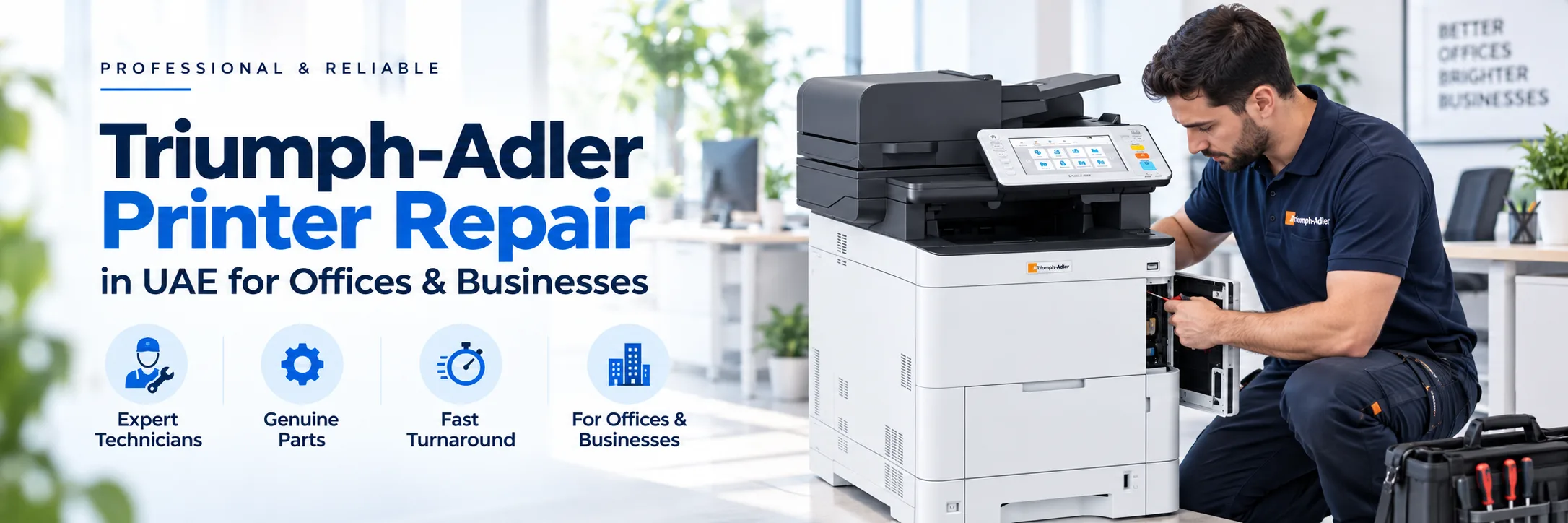
A Triumph-Adler printer does not always need repairs when something goes wrong. Sometimes the problem may be limited to a part, such, as paper feeding, scanning, printing or network connectivity. If an error message keeps appearing or a problem continues the machine may need a detailed check.
Superior Office Services LLC (SOS) offers Triumph-Adler printer repair UAE services for printers that are supported, multifunction devices and photocopiers. Service requests can involve colour and white machines, as well as some older models, depending on what is available. To help find the service, give the full machine model, explain the issue and tell where you are located.
Request Triumph-Adler Printer Service | Contact SOS
A clear description of the fault can help us figure out what needs to be checked. You don’t have to fix the machine yourself. Just tell us what happens when you try to print, copy or scan. Also mention any error message that appears on the machine.
A paper jam can happen in the cassette bypass tray, duplex path, document feeder or any other part of the paper path. If the same jam keeps happening, pay attention to where the machine says the problem is. Also say whether the issue happens with one tray or with different paper sources.
Streaks, lines, marks, faded pages, background shading and uneven color can come from different sources. Test the condition of the toner, imaging parts, transfer system, fixing system, contamination and the machine adjustments. It can be helpful to send a print or copy sample to diagnose what is incorrect.
If the machine malfunctions and reads an error or service message, photograph the whole display. Remember to mention your model number. Never replace parts on a hunch about what error code says, always consider how the machine might have been working before replacing something.
A multifunction device can keep printing normally even as it starts to have problems with scanning, copying or feeding documents. Typical signs of trouble are a scan that fails, lines appearing on scanned pages, poor image quality or an ADF that fails to feed pages properly.
Triumph-Adler multifunctions are capable of Printing, copying, scanning and feeding documents, all in one machine.
If a function has failed it may be mechanical, consumable related, network or setting related. Having the model number is important as different generation use different parts and settings.
When requesting a Triumph-Adler printer repair, tell us the model number along with the fault.
Colour multifunction devices can develop problems that affect one colour, several colours or the whole print result. Colour imbalance, repeated marks, faded areas, lines and patches must be checked by looking at the machine’s condition and a real print sample, not by guessing from how they look.
Monochrome devices are commonly used for contracts, invoices, reports and other routine documents. Paper-feed problems, faded output, ADF faults, copy-quality issues and network-printing problems can all require different types of inspection
Before contacting SOS, keep a few basic details ready:
Complete Triumph-Adler model number
Error or service message
Description of the fault
Function affected
Print or copy sample, if relevant
Office location
Any recent changes to toner, network, computer or machine settings
If the problem started after a toner replacement, router change, driver installation, password change or relocation of the machine, mention this when requesting service.
A repair isn't always the best option for every machine. Sometimes the type of problem, how the machine is functioning, the availability of the parts and whether the equipment still meets the requirements of the user all play a role in the decision.
Repair can make sense when the problem is small, and the machine is still good for the work it does. Replacement might be needed when big parts are broken, when important parts are hard to find or when there is much time lost because of breakdowns.
After looking at the issue, SOS can also talk about printers, used equipment or renting a printer if that is what is needed.
Businesses that rely on shared printers and photocopiers can think about maintenance instead of waiting for a problem to happen. Triumph-Adler printer maintenance in UAE can have requirements based on the machine model, how much it is used and the environment where it works. SOS can talk about the maintenance choices that're available for the equipment that they support. Maintenance can also be an idea for older machines as long as the equipment is still useful and there are parts that fit.
Not every problem with printing or scanning comes from a machine. A machine might work fine with one computer. Do not print to another due to driver, network, port, or workstation setup problem.
Scan-to-email and scan-to-folder may be due to a change to passwords, authentication, servers, network permissions or office computers. If the issues began following an IT change tell SOS this so they can evaluate what service is required.
SOS manages the service request for Triumph-Adler printers and photocopiers in Abu Dhabi, Dubai, Musaffah, Sharjah, Al Ain, Ajman and throughout the UAE as per service status.
For Triumph-Adler printer repairs Abu Dhabi just need to provide the model of the device, an accurate fault description and the address. Businesses in Dubai seeking Triumph-Adler printer repair can also provide the details so that the available service option can be confirmed.
Abu Dhabi: 02 442 9966
Dubai: 04 324 0050
Musaffah: 02 550 5265
WhatsApp: +971 50 969 4734
Additional Mobile: +971 50 159 4734
Everything you need to know. Detailed
overview of our frequently asked questions
A Comprehensive Guide to Our Frequently Asked
Questions
Find the Information You’re Looking For
Yes. SOS takes care of service requests for Triumph-Adler printers, multifunction devices and photocopiers in all parts of the UAE depending on what servicers available.
Yes. The companies in Dubai could provide the machine model, the reasons of the problem and their place to verify the existence of the service options.
Yes. SOS deals with service requests for Triumph-Adler machines in Abu Dhabi. Make sure to give the model number and describe the problem when you ask for help.
We can evaluate service needs for Triumph-Adler multifunction printers and photocopiers that are supported.
Yes, we can investigate paper jam problems, including issues, with paper feed and recurring jams. It helps if you include the jam location and the machine model when you contact us.
Yes, we can assist with scanner, copying and document feeder issues. When you request service please describe the function that is not working and give a description of the symptoms.
Send the model number, fault description, an error photo if the affected function and the office location.
It depends on the model, machine condition, parts availability and technical support available, for that device.
Yes. Businesses can discuss maintenance options according to their equipment and usage requirements.
SOS can separately discuss printers, refurbished equipment or rental options depending on the business requirement.








What can I help with?